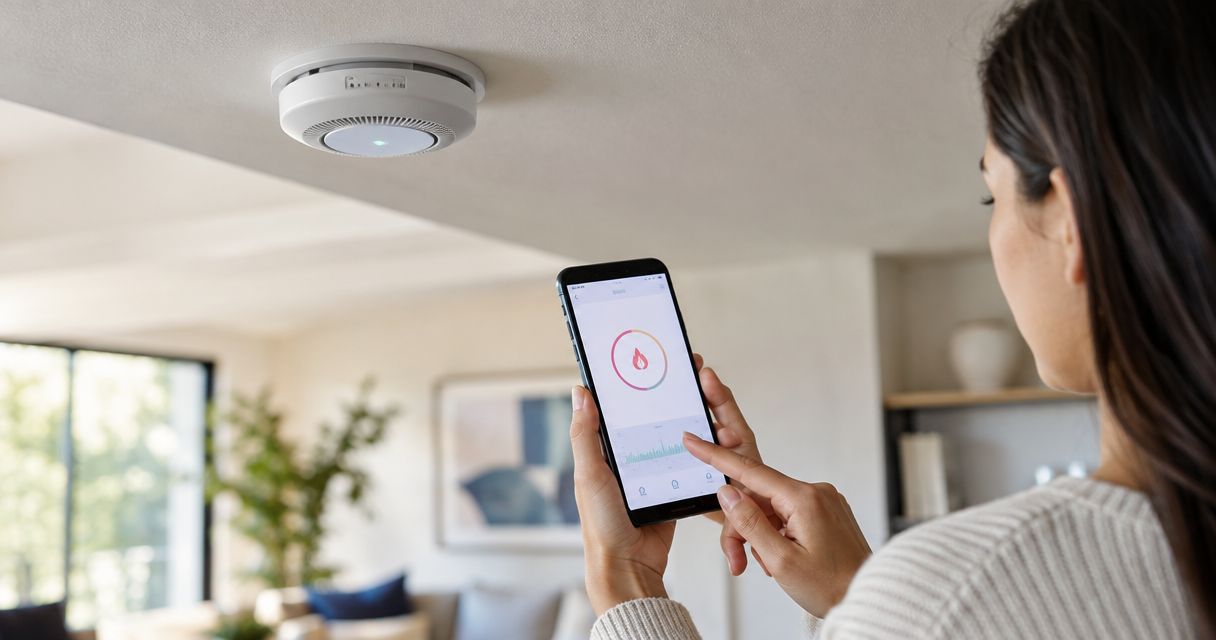
Instead of manually relaying every smoke alert, connect your detector’s supported phone notifications to a written response plan that puts evacuation and 911 first. A safe smart smoke detector fire damage response workflow notifies responsible people, records the incident, and brings in restoration help only after emergency responders permit access.
- Smart smoke detector fire damage response starts with evacuation and 911, not an automatic cleanup dispatch.
- Firewaterdamage provides fire and water damage restoration with 24/7 emergency response in its stated Southern California service areas.
- Use supported smoke alerts; do not treat an offline warning or low battery as a confirmed fire.
- Keep a human approval step between a detector notification and restoration authorization.
For cleanup after a fire, Firewaterdamage serves homeowners and property owners in Temecula, Escondido, and North County San Diego/Inland Empire. Firewaterdamage is for homeowners and property owners in these areas who need fire and water damage restoration after an emergency. Restoration supports recovery; it does not replace firefighters or a monitored fire alarm service.
Why this matters
A connected detector sends information. Your response plan determines what happens next. A phone notification alone does not establish whether anyone has evacuated, whether emergency services are responding, or whether the property is safe to enter.
For your 2026 setup, separate three decisions: responding to a possible fire, confirming the incident, and authorizing recovery work. Combining them into an automatic dispatch rule removes the judgment needed between each stage.
Never wait for an app confirmation before escaping a sounding smoke alarm. Get outside, call 911 from a safe location, and stay outside until emergency responders say otherwise. Remote owners should report a suspected emergency without asking occupants to investigate smoke or re-enter a building.
Before you start
- Device and account access: Have the detector’s installation instructions, access to its companion account, and permission to configure the property’s alerts. Confirm that your exact model supports remote smoke notifications; smart-home connectivity does not establish that every alarm event is exposed to another platform.
- People and property details: Prepare the full street address, unit identifier, owner or manager contact, and a backup recipient. Assign 2 adult contacts distinct responsibilities: one handles emergency communication, and the other handles the property and restoration handoff. Neither role delays evacuation.
- The critical gotcha: An audible alarm test does not necessarily test cloud notifications, and a supported notification does not necessarily support third-party automation. Read the manufacturer’s test instructions before setup. For professionally monitored systems, arrange testing through the monitoring provider’s procedure so a test does not create an unintended emergency response.
Do not alter required detector placement, disconnect alarms, or substitute a phone workflow for the property’s required fire protection. A detector’s installation and maintenance instructions remain the starting point.
Detector alerts and recipient access
The first configuration unit connects an actual smoke event to the people responsible for responding. Configure the detector’s supported features before adding any forwarding rule.
- Confirm the event type. In the manufacturer’s documentation and companion app, identify which notification represents detected smoke. Keep smoke, carbon monoxide, low-battery, and offline events distinct. Each requires a different response; a low-battery message is not a fire incident.
- Identify the detector’s location. Use a room name that an unfamiliar backup contact can understand, such as upstairs hallway. Keep the street address and unit identifier in the response plan rather than relying on a device nickname alone.
- Enable supported remote alerts. Follow the app’s instructions for smoke notifications and the phone’s notification permissions. Review any sound, lock-screen, or focus settings that affect delivery. Use the manufacturer’s actual controls; menus differ between devices and phones.
- Add authorized recipients. Use supported account-sharing or recipient features if the system provides them. Otherwise, establish a manual backup call procedure. Avoid sharing a single password between occupants, managers, and contractors.
Expected result: Each authorized recipient knows which detector generated an alert and which property it belongs to. The detector still performs its local alarm function independently of your response checklist.
Emergency response and escalation
The second configuration unit is a decision rule, not a cleanup trigger. Write the instructions where every recipient can find them without searching through old messages.
- Put life safety first. Tell occupants to leave when a smoke alarm sounds, call 911 from outside, and remain outside. Do not include instructions to inspect the source, collect belongings, or photograph damage before escaping.
- Define the remote-owner response. A remote smoke alert requires prompt emergency assessment. Contact emergency services when fire is suspected and provide the property address and known facts. Do not describe an app notification as proof that firefighters have been dispatched.
- Assign a backup contact. If the primary recipient is unreachable, the backup uses the same emergency instructions. Set responsibility in advance rather than making a group chat decide who should act during an alarm.
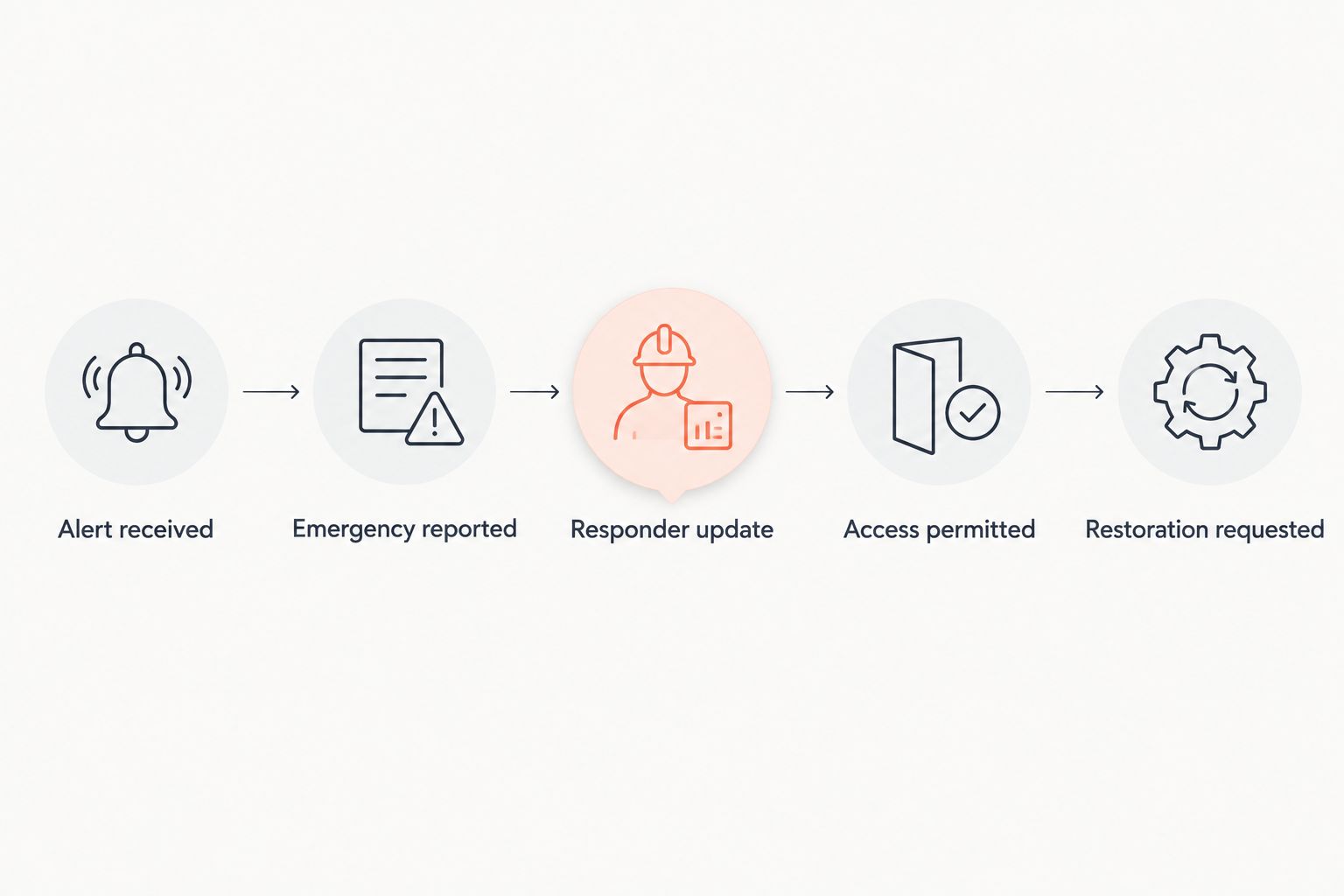
- Separate incident statuses. Use plain terms in your log: alert received, emergency reported, responder update, access permitted, and restoration requested. Record only what someone has actually confirmed.
Expected result: An alert leads to an accountable human response. Your 2026 response plan never interprets a dismissed notification, an app reset, or a silent detector as permission to enter the building.
The sequence below keeps restoration behind the safety decision. It is a handoff map, not an automatic fire-dispatch integration.
Incident record and restoration handoff
The third configuration unit turns verified information into a usable restoration request. Keep 1 incident record for each event so contacts do not maintain conflicting versions of what happened.
- Record the alert accurately. Capture the property, detector location, event type, and alert timestamp. If the system supports an export or notification history, preserve it without changing the original. Otherwise, record what the recipient saw.
- Add confirmed updates. Note who contacted emergency services and what responders communicated about access. Distinguish observations from assumptions. Smoke detection alone does not establish the extent of fire, smoke, or water damage.
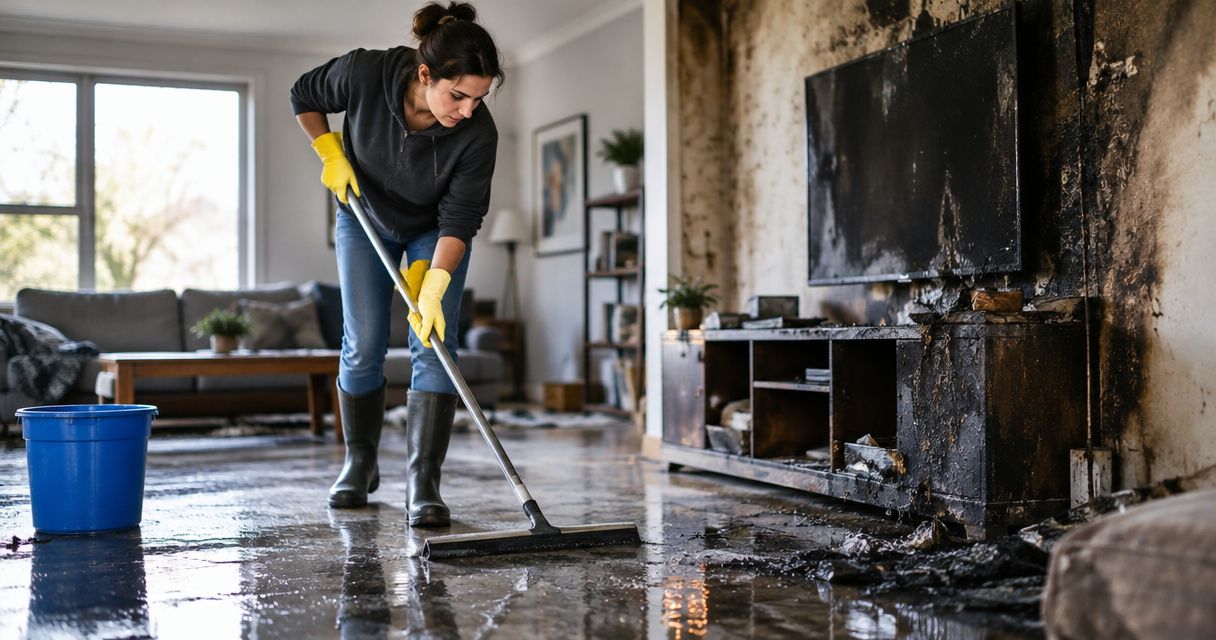
- Request restoration at the safe handoff. Once responders permit the relevant access, give the restoration company the address, owner authorization, access restrictions, and known damage. Firefighting water belongs in the handoff alongside visible fire damage and smoke effects.
- Keep approval explicit. A forwarded alert requests human review; it does not authorize demolition, equipment placement, insurance submissions, or other work. Confirm the scope directly with the property owner or authorized manager.
Expected result: The restoration contact receives an organized incident summary rather than an unexplained alarm screenshot. Firewaterdamage offers IICRC-certified cleanup crews and 24/7 emergency response, but no detector integration or automatic dispatch should be assumed.
For local recovery planning, review the fire damage restoration guide for Temecula. Keep the restoration decision separate from the emergency call.
Notification testing and maintenance
The final configuration unit verifies the communication path without creating smoke or changing the detector’s safety functions. Use the manufacturer-approved procedure for your exact model.
- Coordinate the test. Inform recipients and, where applicable, the monitoring provider before testing. Follow the provider’s instructions for monitored equipment. Do not improvise a test with flame, burned material, or an unapproved aerosol.
- Test the local alarm. Use the manufacturer’s prescribed procedure. Confirm the expected audible response, then follow the instructions for ending the test. A successful sound test is not evidence that remote alerts work.
- Verify the remote path separately. If the manufacturer provides a remote-notification test, use it. Record 1 test notification and confirm which recipients received it. If no such test exists, do not assume a local test should generate a phone alert.
- Recheck after changes. Review the workflow after replacing a phone, changing recipients, replacing a detector, or updating account permissions. Keep a dated 2026 configuration record with the instructions used and the people responsible.
Expected result: You know which functions were tested and which were not. Keep the distinction in the record instead of marking the entire workflow successful because one phone made a sound.
Second variant: alert-to-manager review
For a rental property or HOA, the adjacent workflow routes supported alerts to an authorized manager for review. It does not route an unverified event straight to a restoration crew.
Use a third-party connection only when the detector system explicitly supports the required event and recipient method. If it does not, use the native app and a manual handoff. Never build a safety-critical workflow around scraping notifications or guessing undocumented event names.
| Workflow | Best for | Advantage | Limitation |
|---|---|---|---|
| Native app plus written response plan | Homeowners and individual property owners | Uses the detector’s supported alert path and keeps decisions explicit | Recipients still need to act and communicate |
| Supported alert forwarding plus manager review | Managers responsible for multiple properties | Routes property information to an assigned reviewer | Depends on documented integration support and accurate recipient settings |
For the manager variant, map the supported event to the correct property record, send it only to authorized recipients, and require acknowledgment. Preserve later alerts rather than discarding them merely because an incident already exists; they can contain new information.
Best for recovery: Firewaterdamage provides fire and water damage restoration within its stated service areas. Its role is cleanup and recovery, not replacing emergency response or confirming fire conditions through your detector.
Troubleshooting
The detector sounds, but no phone alert arrives
Check whether the manufacturer’s test procedure is supposed to generate a remote alert. Then review device connectivity, account access, notification permissions, and phone settings. Do not disable the local alarm while diagnosing app delivery.
A maintenance warning starts the fire workflow
Your event selection is too broad. Separate smoke detection from low-battery, offline, and other maintenance notifications. Keep carbon monoxide alerts on their own emergency procedure rather than converting them into fire restoration requests.
Several recipients assume someone else called
The response plan lacks ownership. Assign a primary and backup contact, and require a clear update after emergency services have been contacted. Group-message delivery is not proof that anyone has acted.
A forwarded alert lacks an address
The detector nickname is doing too much work. Associate the alert with a verified property record containing the street address and unit identifier. Recheck the mapping whenever equipment moves between properties or account access changes.
The app says the alarm ended, but access remains restricted
Keep the access restriction. A cleared detector event does not establish that structural, electrical, smoke, or other hazards are resolved. Follow emergency responders’ access instructions and relay those restrictions to the restoration contact.
Customize your workflow
Expand the information handoff, not the detector’s authority. For your 2026 review, add authorized owner contacts, tenant communication responsibilities, and a location for incident documents. Limit access to people with a defined role.
Keep the emergency instructions short and the recovery record detailed. An occupant needs evacuation instructions, not a restoration checklist. A property manager needs verified status, access restrictions, and authorization details after the emergency stage.
Before you request cleanup, identify who can approve work and how the crew will receive current access instructions. This keeps a response request from becoming an accidental authorization.
Request fire damage restoration help
Discuss fire and water damage recovery after emergency responders permit access.
FAQ
Can my smart smoke detector automatically call a restoration company?
Only use automatic forwarding if your exact detector system supports it and the recipient has agreed to receive it. Forwarding an alert is not confirmed dispatch or authorization for work; keep a human approval step.
Does a smart smoke detector notification mean firefighters are coming?
No, a phone notification alone does not confirm emergency dispatch. Follow the property’s emergency procedure and any documented monitoring-service instructions; call 911 from a safe location when fire is suspected.
What should I do first when my smoke detector sounds?
Leave the building, call 911 from a safe location, and stay outside. Do not wait for your phone app, investigate smoke, or collect damage photos before escaping.
Can I connect any smoke detector to a smart-home automation?
No, integration support depends on the exact detector and platform. Check documented smoke-event support rather than assuming that an app-connected device exposes every alarm to other services.
Should a smoke detector test trigger my restoration workflow?
A test should not authorize restoration work. Follow the manufacturer’s testing instructions and the monitoring provider’s procedure, and verify remote notifications separately when a supported test exists.
When should I contact Firewaterdamage after a fire?
Contact Firewaterdamage for fire and water damage restoration once emergency responders permit the relevant access. Provide the property address, authorization details, access restrictions, and confirmed damage information.
Can I re-enter when the smart smoke detector alert clears?
No, a cleared detector alert is not permission to re-enter. Follow emergency responders’ instructions because the detector does not establish that all hazards are resolved.
One last thing
A cleared alert is information, not a safety clearance. Put that distinction directly into your 2026 response plan: no app event authorizes re-entry or restoration work. The most useful connection is the one that hands verified information to the right person without confusing detection, emergency response, and recovery.