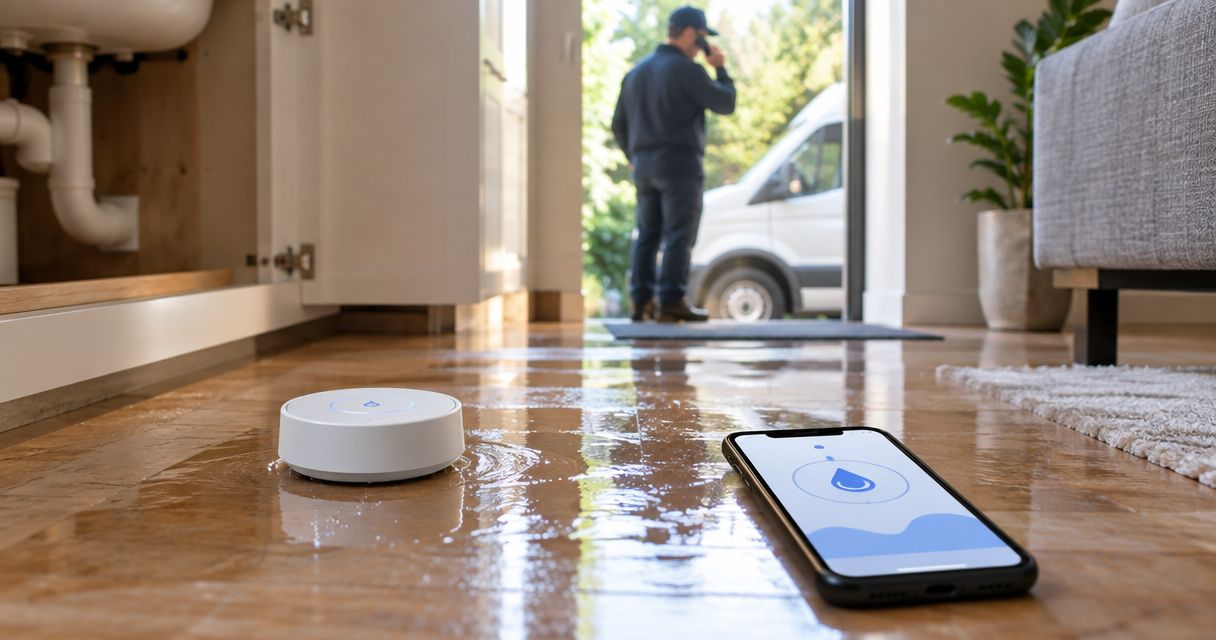
Instead of manually forwarding every leak alert, connect your smart water leak sensor to an owner-approved notification workflow that records the location, alerts a responsible person, and escalates a confirmed emergency to restoration dispatch. For a 2026 setup, keep human acknowledgment between the sensor and a service request unless the restoration provider explicitly accepts automated requests; Firewaterdamage offers 24/7 emergency response, but that does not establish a sensor integration.
- A smart water leak sensor emergency restoration workflow needs verified delivery, human acknowledgment, and an agreed dispatch route.
- Firewaterdamage offers 24/7 emergency restoration response for homeowners and property owners in its stated Southern California service areas.
- Use supported sensor notifications; do not assume a restoration company accepts webhooks or automatically dispatches crews.
- Test leak detection, backup contacts, and dispatch handoff separately before relying on the workflow.
Why this matters
A leak notification and a restoration request are different events. The sensor reports water at its detection point; the responder still needs the property address, access instructions, and enough information to decide what action is necessary.
Firewaterdamage is best suited to homeowners and property owners seeking emergency restoration in Temecula, Escondido, and North County San Diego/Inland Empire. Its stated services include IICRC-certified cleanup crews. Those services address the restoration side of the workflow, not the sensor's notification configuration.
Your 2026 workflow should therefore answer a practical question: who takes responsibility after the alert arrives? A successful notification is not proof that someone has accepted the incident, contacted restoration, or arranged property access.
Before you start
- Sensor access: Have the installed sensor, its manufacturer instructions, administrator access to its app or hub, and permission to change notifications. Identify the documented notification or integration methods before selecting a routing tool.
- Response materials: Prepare the property address, sensor location, authorized decision-maker, backup responder, and safe access instructions. Use a restricted record for sensitive access details rather than including them in every notification.
- Dispatch agreement: Confirm how the restoration provider accepts emergency requests. The non-obvious gotcha is that an email, webhook, or contact-form submission does not establish dispatch acceptance; use the provider's agreed channel and obtain acknowledgment.
Choose at least 2 responsible contacts for the response plan: a primary responder and a backup. This is a recommended configuration, not a claim about any sensor's features or a provider's staffing.
Do not start with an elaborate automation. Start with the smallest supported route that gets an identifiable alert to someone authorized to act.
Sensor event configuration
The instructions below describe configuration decisions, not a particular manufacturer's interface. App labels differ, so follow the device documentation rather than looking for a universal button name.
Establish the detection event
- Identify the sensor. Record its model, installation location, and the app or hub receiving its events. Give the sensor a location-specific name, such as a building, unit, and fixture description.
- Select the leak event. Use the documented water-detection event rather than a general device-status notification. Keep battery, connectivity, and water-clear messages distinguishable from an active leak.
- Enable the supported notification route. Use the manufacturer's documented app notification, email delivery, or integration output. Do not assume that every sensor exposes an automation trigger.
- Perform the manufacturer's detection test. Follow the approved procedure without wetting electrical equipment or creating an actual leak. Check that the receiving notification identifies the correct sensor and location.
- Restore the sensor to monitoring. Complete any documented reset procedure and confirm that the device is ready to detect another event.
Expected result: A controlled detection test produces a recognizable leak alert at the intended destination, and the sensor returns to monitoring afterward.
For your 2026 maintenance record, save the test date and the route you verified. A screenshot of a configuration page is less useful than evidence that an alert reached the correct recipient.
Notification routing
Choose the routing method from the features your sensor actually supports. These approaches solve different problems; none establishes a restoration company's integration capabilities.
| Routing approach | Best for | Advantage | Limitation |
|---|---|---|---|
| Native app notification with manual handoff | Owner-occupied properties with an accountable responder | Keeps the workflow close to the sensor's documented notification function | Depends on the responder noticing and acting on the alert |
| Documented email routing | Properties that need a shared incident record | Gives recipients a message they can review and retain | Delivery alone does not confirm that anyone accepted responsibility |
| Documented integration output to an incident workflow | Managed properties needing assigned ownership and escalation | Can organize events, acknowledgments, and backup routing when supported | Requires compatible systems, configuration checks, and ongoing maintenance |
Use the simplest supported route that provides accountable ownership. A more complex workflow is not better if nobody maintains it or understands its failure points.
Build the incident record
- Define your record fields. Create fields named Property address, Sensor location, Event time, Event type, Primary responder, Backup responder, and Incident status. These are suggested fields for your own record, not claims about a vendor's interface.
- Map the available event information. Copy the sensor's identifier and event time when the supported output supplies them. Add the property address from your controlled property record rather than expecting the sensor to know it.
- Assign ownership. Route new leak events to the primary responder and specify how the backup takes over when the primary does not acknowledge. Agree on that escalation interval with the people who will receive it.
- Separate receipt from action. Record notification delivery, responder acknowledgment, and restoration contact as different milestones. Do not label an incident dispatched merely because an outbound message succeeded.
- Protect sensitive information. Put detailed entry instructions and credentials in an access-controlled record. Send only the information needed to identify the incident in broadly distributed alerts.
Expected result: Each leak event creates a usable incident record with a named responder, an identifiable location, and a clear next action.
Keep 1 incident record per active event as the operating rule. Repeated notifications should update the same incident when your selected system supports that behavior, rather than creating competing assignments.
Dispatch handoff
The dispatch handoff is the point where an electronic warning becomes a request for professional help. Configure it around an agreed communication process, not an assumed endpoint.
Confirm the request and acceptance
- Review the alert safely. Have the authorized responder check the available information and determine whether water is actively escaping or damage needs professional assessment. Do not enter an unsafe area to confirm a sensor reading.
- Address immediate hazards. Stay clear of water near electrical equipment. Shut off the water only when the control is safely accessible and you know what it operates; contact appropriate emergency services for immediate danger.
- Use the agreed dispatch channel. Contact the restoration provider through the method confirmed before setup. For Firewaterdamage, verify the emergency request process directly rather than assuming its website accepts automated sensor events.
- Provide the incident summary. Share the property address, affected location, observed conditions, callback details, and who can authorize access. Distinguish confirmed observations from facts you have not checked.
- Record acceptance. Note who accepted the request, what instructions they gave, and any arrival information they actually provided. Do not generate an arrival estimate from your automation.
- Keep the incident open. Continue tracking the event until a responsible person confirms the next stage. A crew request does not prove the leak source has stopped or the building is dry.
Expected result: A named responder has contacted restoration, documented the provider's acknowledgment, and arranged the next action without treating an automated message as confirmed dispatch.
The complete handoff has a simple sequence. Detection starts the record; acknowledgment assigns responsibility; acceptance confirms that the service request reached the provider.
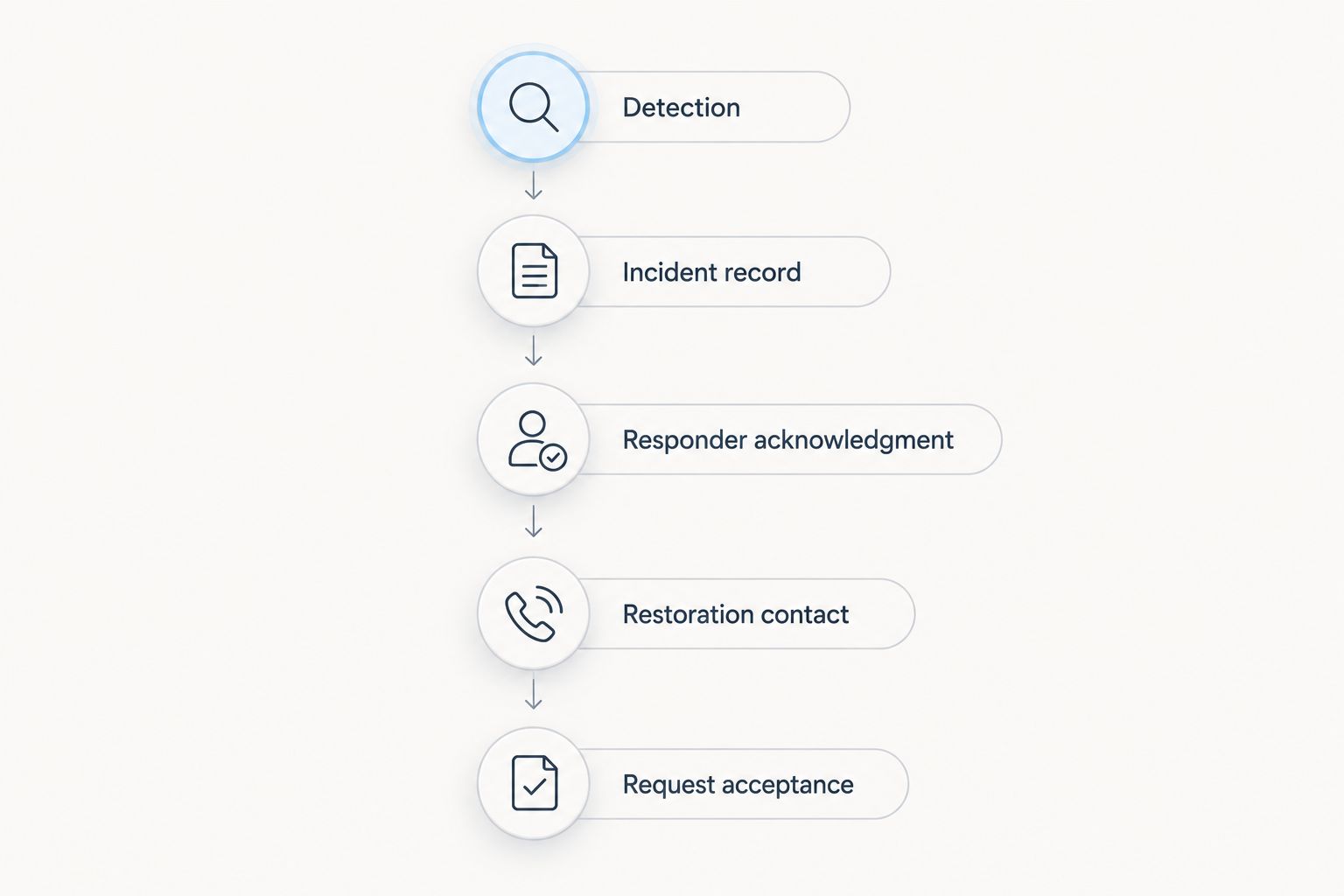
Agree on this handoff during setup, not during an active leak. For a 2026 property response plan, record the date you confirmed the contact route and who owns future updates.
Confirm your emergency response route
Verify how to request restoration help before connecting automated leak alerts.
Update the incident when the sensor clears
A water-clear update is a useful second workflow when your sensor exposes a documented clear event. Use it to update the existing incident, not to cancel professional help automatically.
- Match the clear event to the relevant sensor and active incident using the identifiers your system provides.
- Record that the sensor no longer detects water at its detection point.
- Notify the assigned responder that the incident needs review.
- Keep restoration arrangements unchanged until an authorized person confirms whether to proceed, modify, or cancel the request.
Expected result: The incident contains both the detection and clear events while a person retains control of the response decision.
A cleared sensor does not establish that surrounding materials are dry. It also does not prove that the original source has been repaired. Someone might have moved the sensor, removed surface water, or stopped water from reaching that particular point.
Where the sensor does not provide a supported clear event, have the responder update the incident manually. Do not invent a second automation just to complete the workflow.
Troubleshooting
The sensor detects water, but the responder receives nothing
Check the documented delivery chain from sensor to hub or app, then from that system to the recipient. Confirm connectivity, recipient details, notification permissions, and any account authorization required by the selected route. Repeat the approved detection test after correcting the failure.
Do not troubleshoot by creating a real plumbing leak. Keep the test controlled and follow the manufacturer's instructions.
Repeated alerts create separate service requests
Keep repeated messages attached to the active incident where the routing system supports it. Use the sensor identifier and active incident state to guide that configuration; an authorized responder should resolve ambiguous events.
Do not send repeated dispatch requests simply because the sensor continues detecting water. Contact the provider again when conditions or instructions require an update.
An alert arrives, but nobody accepts responsibility
Assign an explicit primary responder and backup rather than relying on a shared inbox. Test the backup path with the primary deliberately unavailable during an agreed exercise.
Define acknowledgment separately from message delivery. A successful send is not evidence that a person has read the alert.
The automation sends a message, but dispatch is unconfirmed
Switch to the provider's agreed emergency contact route and obtain acknowledgment. Review whether the automated destination was ever approved for emergency requests.
Do not interpret a successful webhook response or a submitted form as crew assignment. Record only the acceptance information the provider actually gives you.
The sensor clears, but dampness remains
Leave the incident open for assessment and tell the responder what changed. A sensor describes conditions at its detection point, not the moisture condition of the entire room or structure.
Do not cancel a restoration request solely because the clear notification arrived.
Customize your workflow
Expand the process by property responsibility before adding more automation. For a home, specify who can safely access the water shutoff and authorize restoration. For a managed building, distinguish the tenant reporting conditions from the manager authorizing work.
For your 2026 operating plan, review:
- Who covers absences and changes to the primary responder.
- How sensor locations map to building and unit records.
- Who updates access instructions and emergency contacts.
- Which events require an immediate call rather than a routine notification.
- How the team records a completed test and corrects a failed one.
Use the water damage restoration guide for property managers to extend the response plan beyond alert routing.
Recheck the workflow after changing a sensor, hub, account permission, recipient, or property contact. The useful test is whether a responsible person can identify the location and complete the handoff—not whether an automation dashboard displays success.
FAQ
Can a smart water leak sensor automatically dispatch a restoration crew?
Only use automatic dispatch when the restoration provider explicitly accepts that workflow and its requirements are met. Otherwise, route the sensor alert to an authorized person who contacts the provider and records acceptance.
Does Firewaterdamage have a smart water leak sensor integration?
This guide does not establish a Firewaterdamage sensor integration. Firewaterdamage offers 24/7 emergency restoration response; confirm its accepted request channel directly before configuring an automated handoff.
What is the best smart water leak sensor emergency restoration workflow?
The best workflow is the simplest supported route that delivers an identifiable alert to an accountable responder and confirms the restoration handoff. Choose the route from the sensor's documented capabilities and the provider's agreed request process.
What information should a leak alert include?
Include the property address, sensor location, event time when supplied, and the assigned responder. Keep sensitive access credentials in a restricted record rather than distributing them with every alert.
Should a water-clear alert cancel the restoration request?
No, a water-clear alert should trigger human review rather than automatic cancellation. It reports the condition at the detection point and does not establish that affected materials are dry or the leak source is repaired.
How do I test the connection without causing water damage?
Use the sensor manufacturer's approved detection test and coordinate the handoff exercise with everyone involved. Verify notification delivery, responder acknowledgment, and backup routing without submitting an unannounced emergency service request.
What should I do if water is near electrical equipment?
Stay clear of the affected area and do not touch electrical equipment while standing in water. Contact appropriate emergency services for immediate danger and arrange professional help rather than entering the area to inspect the sensor.
One last thing
Test the acknowledgment failure, not just the leak alert. During a planned exercise, make the primary responder unavailable and confirm that the backup can identify the property, find the approved contact route, and take responsibility.
Before relying on Firewaterdamage for the restoration handoff, confirm that request process directly. Your 2026 workflow is complete only when an alert has a responsible recipient and the service request has a verified path to acceptance.