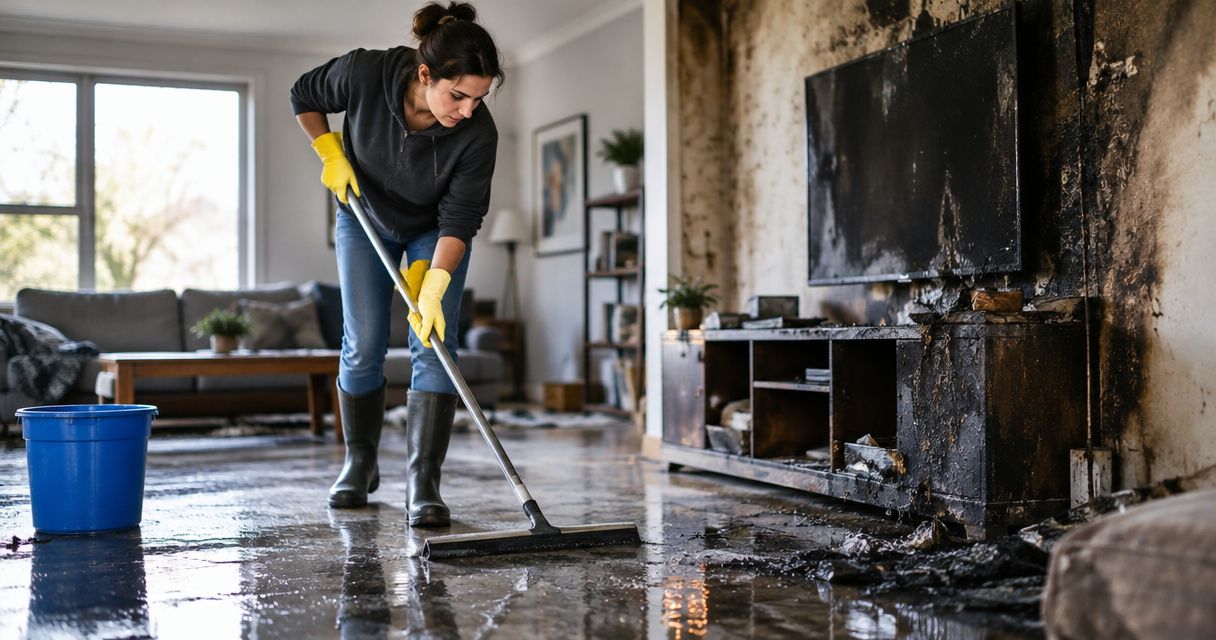

Instead of manually copying emergency maintenance requests into calls and messages, build a property management software restoration dispatch workflow that routes incident details to an authorized responder and records acknowledgment. For your 2026 setup, treat a sent alert as a notification—not proof that a restoration crew has been dispatched.
- Property management software restoration dispatch needs a verified handoff, not just an automated notification.
- Firewaterdamage offers 24/7 emergency restoration response for property owners in its stated Southern California service areas.
- Keep maintenance intake, restoration dispatch, and crew confirmation as separate events.
- Use an incident identifier to prevent duplicate requests and preserve a clear water damage restoration record.
Why this matters
An emergency maintenance ticket and a restoration assignment are different records. A tenant reports water entering a unit; a property manager confirms access and authorization; a restoration provider confirms whether a crew is assigned. Your workflow must preserve those distinctions.
Firewaterdamage is best for property owners seeking 24/7 emergency restoration response in Temecula, Escondido, and North County San Diego/Inland Empire. Its IICRC-certified cleanup crews are a service resource, not evidence of a software integration. Establish the handoff directly with Firewaterdamage before connecting an automated notification to an emergency process.
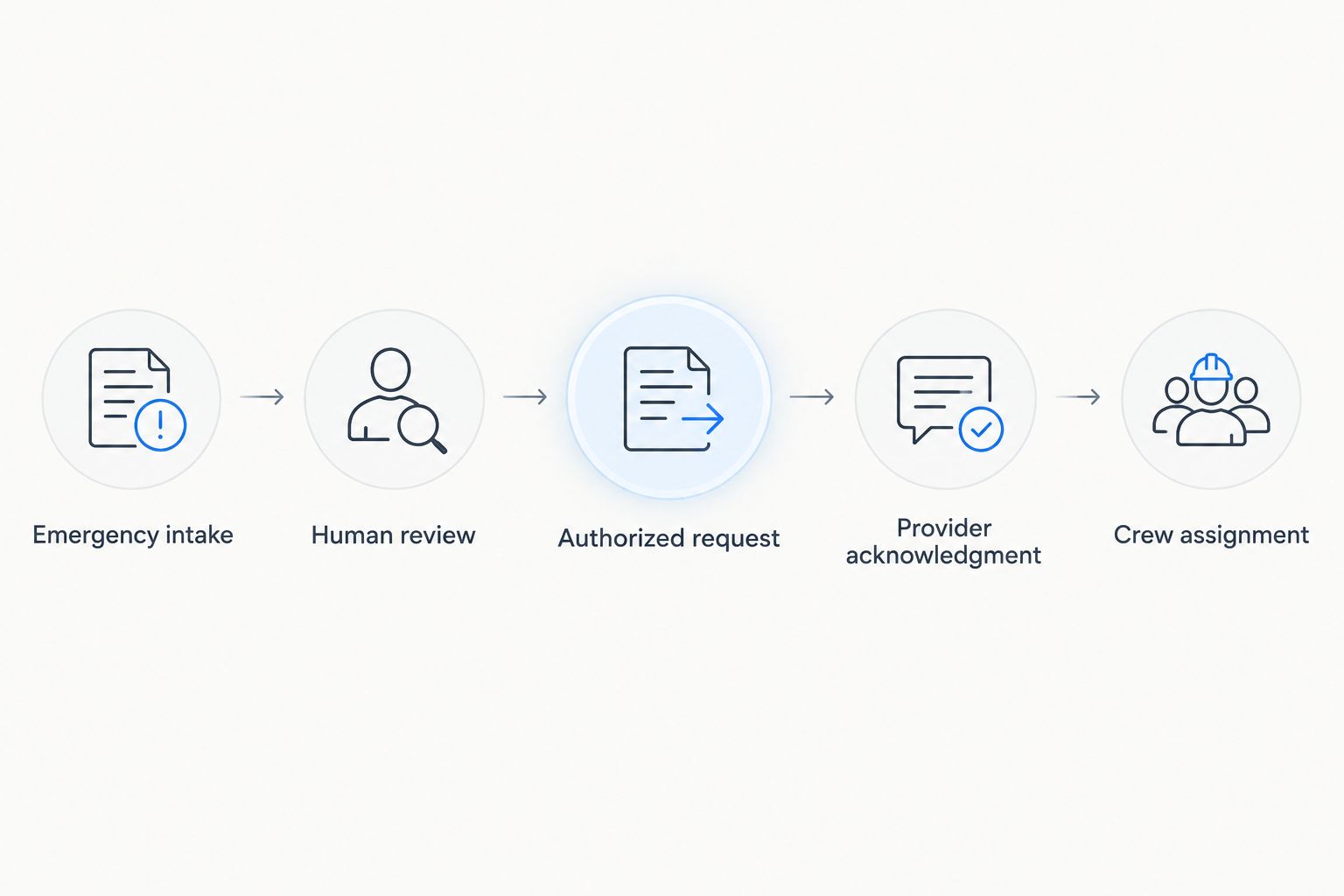
For 2026, define success as a documented response with an accountable owner. A notification delivery receipt proves that a system transmitted a message. It does not prove that someone accepted the assignment, received permission to enter, or scheduled a crew.
Before you start
- Access and authority: Obtain permission to configure maintenance routing, read incident details, and update work orders. Identify who can authorize restoration work and who can approve property entry.
- Confirmed handoff: Agree on an accepted communication channel with your restoration provider. Record a primary and backup management contact—2 contacts with distinct responsibilities—and the after-hours escalation procedure.
- The setup gotcha: Confirm which events your software exposes and how updates behave. A ticket edit must not create another dispatch request, and an outgoing message must not automatically mark the incident accepted.
This guide uses descriptive record names, not platform-specific button labels. Configure the corresponding fields and actions in your chosen system; do not assume it supports a trigger, webhook, connector, or write-back action until its documentation confirms that capability.
Keep access codes and tenant information restricted to authorized recipients. A broadly shared maintenance notification is not the place for lockbox credentials or detailed occupant information.
Intake rules
Define qualifying incidents
- Separate emergency intake from routine maintenance. Identify reports requiring immediate human review, such as active water intrusion, sewage exposure, or damage following a fire. Direct immediate threats to life or safety to emergency services rather than waiting for maintenance routing.
- Require a usable location. Capture the property address, building or unit, reporting contact, and reported condition. Include photographs only when taking them is safe; do not make photographs a prerequisite for emergency reporting.
- Assign an incident identifier. Keep 1 incident ID across the maintenance record, outgoing request, acknowledgment, and subsequent updates. Preserve the original submission timestamp separately from later edits.
Expected result: A qualifying report creates a traceable incident for review. It does not silently authorize work or label a crew as dispatched.
Use structured categories where your software supports them. Keep the original tenant description alongside the category so the reviewer sees what was actually reported. A category such as water intrusion describes the request; it does not establish the water source, contamination level, or extent of damage.
Avoid keyword-only dispatch rules. A maintenance note saying no active leak contains the word leak but does not describe the same situation as water actively entering a room. Human review resolves that difference before the provider receives an authorized request.
Incident mapping
Build the handoff record
- Map identity and location. Pass the incident identifier, full property address, unit, reporting contact, and management contact into the outgoing record. Check that the address belongs to the affected property, not the management office.
- Map reported conditions without upgrading them to findings. Describe the source as reported, suspected, or unknown as appropriate. Keep tenant observations separate from any later professional assessment.
- Map access and authorization. Identify the person responsible for entry permission and work authorization. Record restrictions in plain language, and send sensitive access details only through the agreed restricted channel.
Expected result: The recipient can identify the property, understand the reported problem, and reach the person authorized to make decisions without reconstructing the incident from separate messages.
Use the following record structure for a 2026 workflow review. These are proposed data labels, not claims about fields built into any particular application.
| Record element | Purpose | Validation rule |
|---|---|---|
| Incident identifier | Connects all communications | Remains unchanged across updates |
| Property and unit | Identifies the affected location | Matches the property record |
| Reported condition | Explains the reason for review | Preserves uncertainty and source |
| Management contact | Identifies the accountable decision-maker | Contains a usable contact method |
| Access authorization | Documents the entry decision | Names the authorized person |
| Provider acknowledgment | Records acceptance or rejection | Requires an actual response |
| Crew assignment | Records the dispatch outcome | Remains separate from message delivery |
Do not pass an entire tenant record simply because the connector permits it. Send the information necessary for the response. Preserve additional documentation in the controlled incident record.
Notification and acknowledgment
Configure the response handoff
- Select an agreed delivery method. Use a supported connection only after confirming both systems accept it. Otherwise, route the structured incident to the manager responsible for contacting the provider through the agreed channel.
- Separate sending from acceptance. Record when the request was sent and who sent it. Update provider acknowledgment only when the provider confirms acceptance; keep crew assignment as a further confirmed event.
- Assign an escalation owner. Make a named manager responsible for an unanswered request. Set the escalation interval through your operating procedure and provider agreement, rather than assuming every emergency receives the same response timeline.
Expected result: Each outgoing request has a visible outcome: awaiting acknowledgment, accepted, declined, or requiring management follow-up. None of those outcomes is inferred from message transmission alone.
The accountable manager must remain visible throughout the handoff. Automation can carry the incident details, but someone still has to resolve unanswered requests, unclear authorization, and changes in the reported condition.
Firewaterdamage's 24/7 emergency response supports an after-hours contact plan, but the workflow still needs an agreed acknowledgment method. Confirm the process rather than assuming the company accepts automated tickets or updates your property management system.
Confirm your emergency restoration handoff
Discuss incident details, access authorization, and after-hours communication before configuring automatic routing.
Write-back and validation
Verify the incident lifecycle
- Write confirmed outcomes back to the original record. Record provider acknowledgment, the source of the confirmation, and any confirmed crew-assignment information. If automatic write-back is unsupported, assign the update to the incident owner.
- Prevent duplicate requests. Use the incident identifier to recognize an existing request. Keep ordinary edits, attachment additions, and internal notes from starting a new dispatch handoff.
- Run 3 test scenarios. Test a new qualifying incident, an update to that incident, and an unanswered request. Use clearly identified test records and coordinate with the recipient so a test never appears to be a real emergency.
Expected result: A new incident reaches the correct reviewer, an update stays attached to its existing record, and an unanswered request reaches the escalation owner.
For the 2026 release of your workflow, retain the test outcome and the person approving activation. Check the entire path, including what the recipient sees and how acknowledgment returns to the maintenance record.
Do not close the work order merely because a request was accepted. Dispatch, site assessment, cleanup, and administrative closure are separate milestones. Close the incident only under your property's documented completion procedure.
Update an existing incident without redispatching
A second workflow should handle changes to an open incident. A tenant might add photographs, management might confirm entry permission, or the reported condition might change. Those updates belong to the original incident unless a reviewer determines that a separate event requires its own record.
Filter the update workflow for meaningful changes, then send the changed information with the existing incident identifier. Record the update and its recipient. Require acknowledgment when the change affects access, authorization, or the response decision.
Choose the workflow that matches the event:
| Workflow option | Best for | Advantage | Limitation |
|---|---|---|---|
| Manager-led handoff | Properties without a confirmed software connection | Preserves human review and authorization | Requires the manager to contact the provider and record outcomes |
| Confirmed automated notification | Systems with a supported, agreed delivery method | Transfers structured incident details without retyping | Still requires provider acknowledgment and an escalation owner |
| Existing-incident update | Changes to an open restoration incident | Keeps new details attached to the original request | Poor filtering can generate repeated or irrelevant messages |
Start with a manager-led handoff unless the delivery and acknowledgment paths are confirmed. Automating an unverified destination does not create a reliable dispatch process.
Keep updates factual. Write that a tenant reports water spreading into another room rather than declaring the damage extent. The restoration assessment determines the condition; the workflow preserves the report and routes it promptly.
Troubleshooting
Ticket edits create repeated dispatch requests
Separate creation events from update events. Check for an existing outgoing request associated with the incident identifier before sending another. Route attachments and ordinary notes to the update workflow rather than the new-incident workflow.
The request says delivered, but nobody confirms it
Keep the incident awaiting acknowledgment. Have the escalation owner use the agreed backup channel, then record the actual response. Do not convert a delivery receipt into acceptance or crew assignment.
The recipient receives the wrong address
Check field mapping against the affected property's record. Management-office addresses, billing addresses, and unit addresses serve different purposes. Correct the mapping and verify the outgoing address with a test incident before reactivating the workflow.
The workflow repeatedly triggers itself
Exclude updates made solely by the write-back action from the dispatch trigger. Use a clear qualifying condition and preserve event identifiers where supported. Test whether recording acknowledgment causes another outgoing request.
After-hours messages reach nobody responsible
Assign the after-hours owner explicitly and confirm the backup contact procedure. A general inbox without a named responder does not establish accountability. Test the escalation path with the people who actually cover it.
Customize your workflow
Extend the incident record with property-specific access constraints, affected common areas, and the person coordinating occupant communication. Keep each addition tied to a decision or task; extra fields that nobody uses make emergency intake harder.
For Firewaterdamage restoration dispatch, separate the provider's confirmed operational updates from the manager's tenant communications. A crew-assignment confirmation belongs in the incident record, while an occupant notice requires its own audience and authorization review.
Use the water damage restoration guide for property managers to expand the process beyond the initial handoff. Your software workflow should support the restoration process, not substitute ticket status for a site assessment.
Before changing routing rules in 2026, repeat the same validation scenarios used at activation. Review contact ownership when staff responsibilities change, and verify that previously restricted incident information remains restricted after configuration changes.
FAQ
How do I connect property management software to restoration dispatch?
Connect incident intake to an agreed notification channel, then record provider acknowledgment separately from crew assignment. Confirm your software's supported triggers and actions before configuring the connection.
Can a maintenance ticket automatically dispatch a restoration crew?
A maintenance ticket does not prove that a restoration crew has been dispatched. Crew assignment requires confirmation from the provider through the agreed process.
Does Firewaterdamage integrate with my property management software?
Confirm software integration support directly with Firewaterdamage before configuring an automated handoff. The company offers 24/7 emergency response and IICRC-certified cleanup crews, but those services do not establish connector compatibility.
What information should a restoration dispatch request include?
Include the incident identifier, affected property and unit, reported condition, management contact, and authorization details. Share sensitive access information only with authorized recipients through the agreed restricted channel.
How do I stop duplicate restoration requests?
Keep one incident identifier across the request and its updates, and separate creation triggers from update triggers. Check for an existing outgoing request before sending another dispatch notification.
What should happen when nobody acknowledges an emergency request?
The named escalation owner should follow the agreed backup contact procedure. Keep the incident awaiting acknowledgment until an actual response is recorded.
What should I test before activating the workflow in 2026?
Test a new qualifying incident, an update to the same incident, and an unanswered request. Verify the recipient, incident details, acknowledgment record, and escalation owner without initiating a real emergency response.
One last thing
Test the unanswered-request path before celebrating the successful-send path. A workflow that transfers every field correctly still fails its purpose if nobody owns the next action when the provider does not respond.