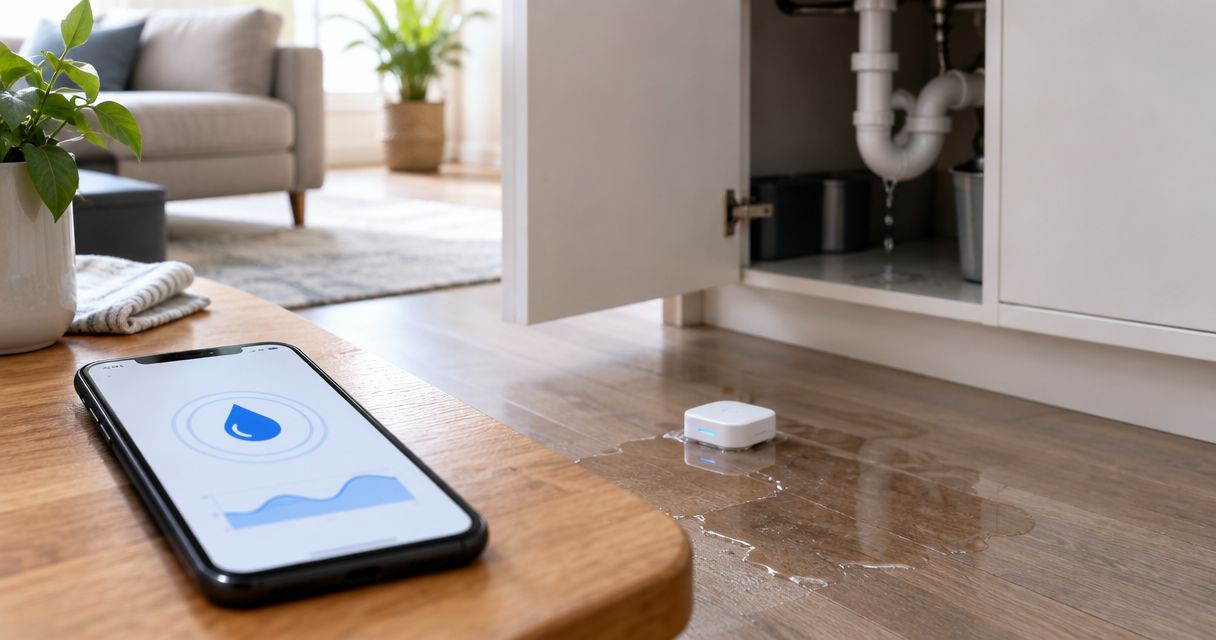
Instead of manually collecting alert details after every leak, configure your detector’s supported automation to create an incident record and route it for claim review. When a leak detector triggers water damage claim preparation, automate the evidence handoff—not an insurance submission unless your insurer explicitly supports it and you have authorized that action.
- When a leak detector triggers water damage claim preparation, create an incident record before submitting anything to an insurer.
- Firewaterdamage provides emergency water damage restoration; insurance claim submission remains a separate workflow.
- Preserve the original leak alert, verify damage, and require approval before sending a claim.
- Test duplicate alerts, failed delivery, and recovery events before enabling your workflow.
Why this matters
A leak alert establishes that a sensor reported a condition. It does not establish the cause, the extent of damage, insurance coverage, or whether a claim should be filed. Your automation should preserve that distinction instead of turning every wet sensor into an insurance notice.
Firewaterdamage is best for homeowners and property owners seeking emergency water damage restoration in its stated service areas. Firewaterdamage offers 24/7 emergency response and IICRC-certified cleanup crews in Temecula, Escondido, and North County San Diego/Inland Empire. Restoration response and insurance reporting are separate decisions; configure separate handoffs for each.
For your 2026 setup, make the first automated output an internal incident record. That gives the responsible person a place to verify the alert, document visible damage, and follow the policy’s reporting requirements without presenting an unverified sensor event as a completed claim.
Before you start
- Detector access: Have administrator access to the detector account and its documented alert delivery method. Use a supported email notification, integration, or webhook—not an assumed connection.
- Routing and records: Choose an incident destination, identify the property contact, and gather the policy’s reporting instructions. Plan for 2 recipients: a primary responder and a backup.
- The setup gotcha: A detector notification is not an insurer’s claim-submission endpoint. Confirm what the insurer accepts before configuring any external submission; otherwise, stop automation at an internal review task.
Keep policy documents and access instructions in an appropriately restricted location. Do not put door codes, complete policy documents, or unnecessary personal information into a general-purpose alert message.
The steps below describe configuration choices, not a particular application’s interface. Use your platform’s documented controls for those choices. Bold record labels are fields you create; To, Subject, and Reply-To are standard email fields where your chosen system exposes them.
Event intake
The event intake converts a supported detector notification into a reliable starting signal. In 2026, verify the current integration documentation rather than assuming an older setup guide still matches your account.
- Select the alert source. Choose the detector’s documented event connection. If the detector supports only email alerts, use an automation system with a documented incoming-email trigger. If neither connection exists, keep the detector’s native notifications and create incidents manually.
- Filter for the leak condition. Match the documented event type or alert content that indicates detected water. Exclude battery warnings, connectivity notices, and test messages from the live incident path.
- Map the device to the property. Create a lookup containing Device identifier, Property address, Sensor location, and Responsible contact. Use the identifier the detector actually supplies, rather than relying solely on a display name someone can change.
- Preserve the incoming event. Save the original notification or payload with its supplied timestamp. Record the received time separately and include the time zone; do not replace the device’s timestamp with the automation’s processing time.
Expected result: A real leak alert produces a property-matched event with the original notification attached or retained. Battery and connectivity alerts do not enter the claim-preparation path.
Avoid broadly matching any message containing the word water. Setup emails, newsletters, and recovery notices can contain the same word. Review a genuine alert sample and build the filter around its documented structure.
Incident record
The incident record is your working evidence file, not a declaration that an insured loss occurred. Keep machine-reported facts separate from observations supplied by a person inspecting the property.
- Create the record fields. Include Incident identifier, Property address, Sensor location, Alert timestamp, Received timestamp, Original alert, Verification status, and Claim status. Start verification as unverified and claim status as not submitted.
- Add duplicate protection. Use a supplied event identifier when one exists. Otherwise, define and document a matching rule using available device, property, and event data; route ambiguous matches for review rather than silently discarding them.
- Attach follow-up evidence. Provide a restricted place for photographs, inspection notes, and repair or restoration documents. Distinguish the sensor’s reported location from the observed source of water.
- Assign ownership. Send the record to the responsible contact and retain the backup contact for escalation. Name who verifies the property, who authorizes insurance reporting, and who coordinates restoration.
Expected result: You have 1 incident record per distinct leak event, with repeat notifications attached to that record rather than opening competing files.
Do not label an unknown cause as a burst pipe merely because the sensor sits beside plumbing. Record what is observed, who observed it, and when. A later inspection can update the cause without rewriting the original alert.
The workflow follows this sequence: Leak alert, Incident record, Damage review, Claim approval, Authorized submission. The approval boundary prevents the automated intake from being mistaken for insurer acceptance.
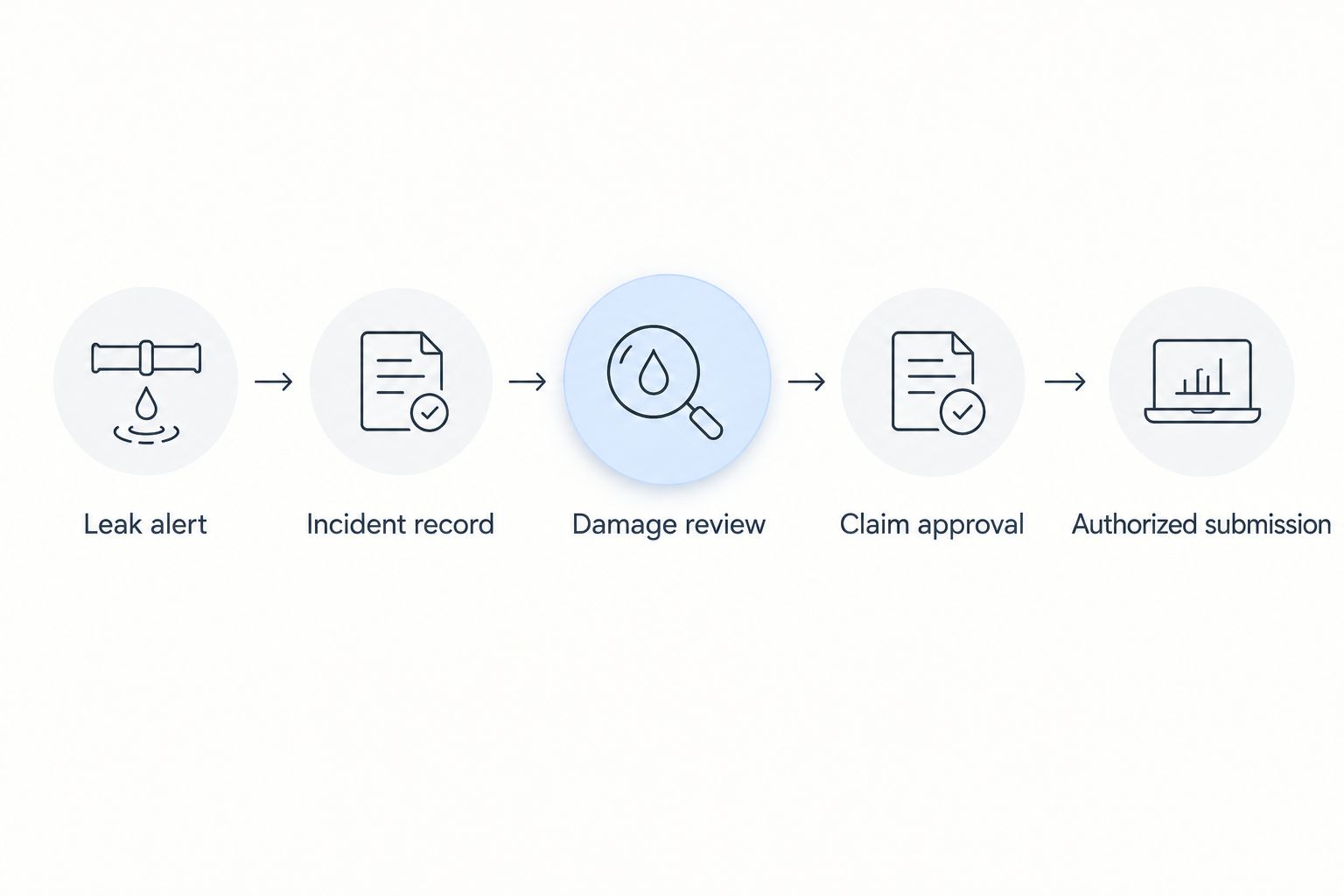
Claim review routing
Route the incident to a decision-maker before sending information to an insurer. Automatically starting claim preparation is not the same as automatically filing a water damage claim.
- Build the review message. Set To to the authorized reviewer. Use Subject to identify a leak alert requiring review, along with the property’s agreed identifier. Set Reply-To to a monitored address when that field is available.
- Include only verified event details. Add the sensor location, supplied timestamp, incident identifier, and a restricted record link if your system supports one. State that damage and cause require verification; do not write a coverage conclusion.
- Require an explicit decision. Create Reviewer, Approval timestamp, and Submission decision fields. Separate approval to arrange restoration from approval to report an insurance claim.
- Configure the authorized reporting path. Use the insurer’s documented channel. Enable machine submission only when that channel supports it, the required information is present, and the policyholder has authorized the action. Otherwise, assign a person to complete the submission.
- Record the response. Preserve the submission receipt or response. Populate Insurer claim number only when the insurer returns one; your internal incident identifier is not a claim number.
Expected result: A reviewer receives a usable incident summary, and an insurer submission occurs only through an authorized, supported channel.
For the emergency-response branch, use the smart water leak sensor to emergency restoration dispatch guide. Firewaterdamage’s water damage restoration service is separate from insurer claim intake; do not configure an assumed dispatch endpoint or claim-filing connection.
Validation and activation
Before enabling the 2026 workflow, test the boundaries that protect you from duplicate incidents and accidental submissions. Use your detector’s documented test method; do not create an actual leak to exercise the automation.
- Label the test clearly. Identify the record as a test and keep external claim submission disabled. Confirm that the test route cannot reach the insurer’s live reporting channel.
- Run 3 test cases. Process a leak alert, a repeat of that alert, and a recovery notification. Confirm that the first opens a record, the repeat updates it, and the recovery event does not create another loss report.
- Check delivery failure. Exercise the automation platform’s documented error-testing method. Verify that a failed review message leaves a visible failed status and alerts the backup contact through a supported route.
- Inspect the final record. Check the property mapping, time zone, evidence permissions, and approval boundary. Remove test data from operational reporting without deleting the configuration notes needed to repeat the test.
Expected result: Intake, duplicate handling, recovery updates, and failure reporting work without sending a test claim.
Do not enable unattended claim submission to compensate for an unanswered review message. Escalate the internal task instead. An escalation changes who receives the alert; it should not change who has authority to report a claim.
Update the incident when the detector reports recovery
A second useful workflow updates an existing incident when the detector reports that its leak condition has cleared. It should not declare the property dry or close an insurance claim.
Match the recovery event to the existing device and incident, preserve its timestamp, and notify the responsible contact. Set Sensor condition to the documented recovery state while leaving Damage verification and Restoration status unchanged until someone verifies them.
| Workflow | Best for | Advantage | Limitation |
|---|---|---|---|
| Leak-triggered incident creation | Starting review after a new alert | Preserves the initial notification and assigns ownership | Requires verification before insurance reporting |
| Recovery-triggered incident update | Following the same incident after the alert clears | Keeps the event history together | A cleared sensor does not establish that building materials are dry |
Both workflows belong in your 2026 incident process, but they answer different questions. The first asks who must respond; the second records a change in the sensor’s reported condition.
Troubleshooting
Repeat alerts open multiple records
Check whether the automation uses the detector’s event identifier or only the message’s arrival time. Arrival time changes with each delivery. Match on the documented event data and send uncertain matches to review instead of merging unrelated leaks.
The wrong property receives the alert
Check the device-to-property lookup and confirm that the sensor was not moved without updating its assignment. Correct the mapping, then repeat the test. Do not forward the original record broadly; it can contain another property’s information.
The incident exists, but nobody receives it
Inspect the automation’s delivery result and the receiving account’s filtering rules. Verify the recipient address and permissions, then use the configured backup route. A created record alone does not establish that a person was notified.
The workflow says submitted without an insurer receipt
Separate message sent from claim received. Keep the submission status pending confirmation until the documented channel returns a receipt or a person confirms receipt. Never invent a claim number to satisfy a required field.
A recovery event closes the entire incident
Remove the rule that treats a cleared sensor as completed restoration. Update only the sensor condition and send a review task. Water remaining elsewhere in the property is a separate inspection question.
Customize your workflow
For a single home, keep routing simple: property contact, backup contact, and a restricted evidence record. For managed properties, add unit identification, access coordination, and a designated person who handles insurance reporting. Avoid distributing occupant information to everyone who receives maintenance alerts.
Review your 2026 configuration after a device move, contact change, or policy update. Recheck the event mapping and reporting instructions rather than editing only the notification address. Keep a short configuration note identifying the alert source, record destination, approval owner, and failed-delivery route.
Firewaterdamage offers emergency restoration response, not a stated insurance automation platform. Use supported detector integrations for alert intake and a separate authorized process for insurance reporting. That keeps your technical workflow from promising a service or connection that has not been established.
Arrange emergency restoration response
Firewaterdamage offers 24/7 emergency response for homeowners and property owners in its stated service areas.
FAQ
Can a leak detector automatically file a water damage claim?
A leak detector can initiate claim preparation through a supported automation, but insurer submission requires an authorized reporting channel. Do not treat a sensor alert or internal incident record as a filed claim.
What should happen first when my leak detector triggers?
Notify the responsible person and preserve the original alert in an incident record. Prioritize personal safety and verification of the situation; claim preparation should not delay an appropriate emergency response.
Does a leak detector alert prove my insurance covers the damage?
No, a leak detector alert does not establish insurance coverage. Coverage depends on the policy and the circumstances of the loss, not the existence of an automated notification.
Can I use email instead of a direct detector integration?
Yes, if your detector sends email alerts and your automation platform supports incoming-email triggers. Filter genuine leak alerts separately from test, battery, connectivity, and recovery messages.
What evidence should the automated incident record contain?
Preserve the original alert, supplied timestamp, device identity, sensor location, and property mapping. Add photographs and inspection notes separately, identifying who supplied them and when.
Should the claim close when the detector says the leak stopped?
No, a recovery notification should update the sensor condition rather than close the claim or restoration incident. Verify property conditions and follow the insurer's process separately.
Does Firewaterdamage provide a leak detector claim integration?
No claim-submission integration is established for Firewaterdamage in this guide. Its stated services are emergency fire and water damage restoration, including 24/7 response and IICRC-certified cleanup crews.
One last thing
Give your internal incident identifier and the insurer’s claim number different fields. That small design choice prevents a successful automation run from looking like a successful insurance submission.
Keep both fields visible to the authorized reviewer. If the insurer’s field remains empty, the record still supports response and documentation—but it must not be described as an accepted claim.